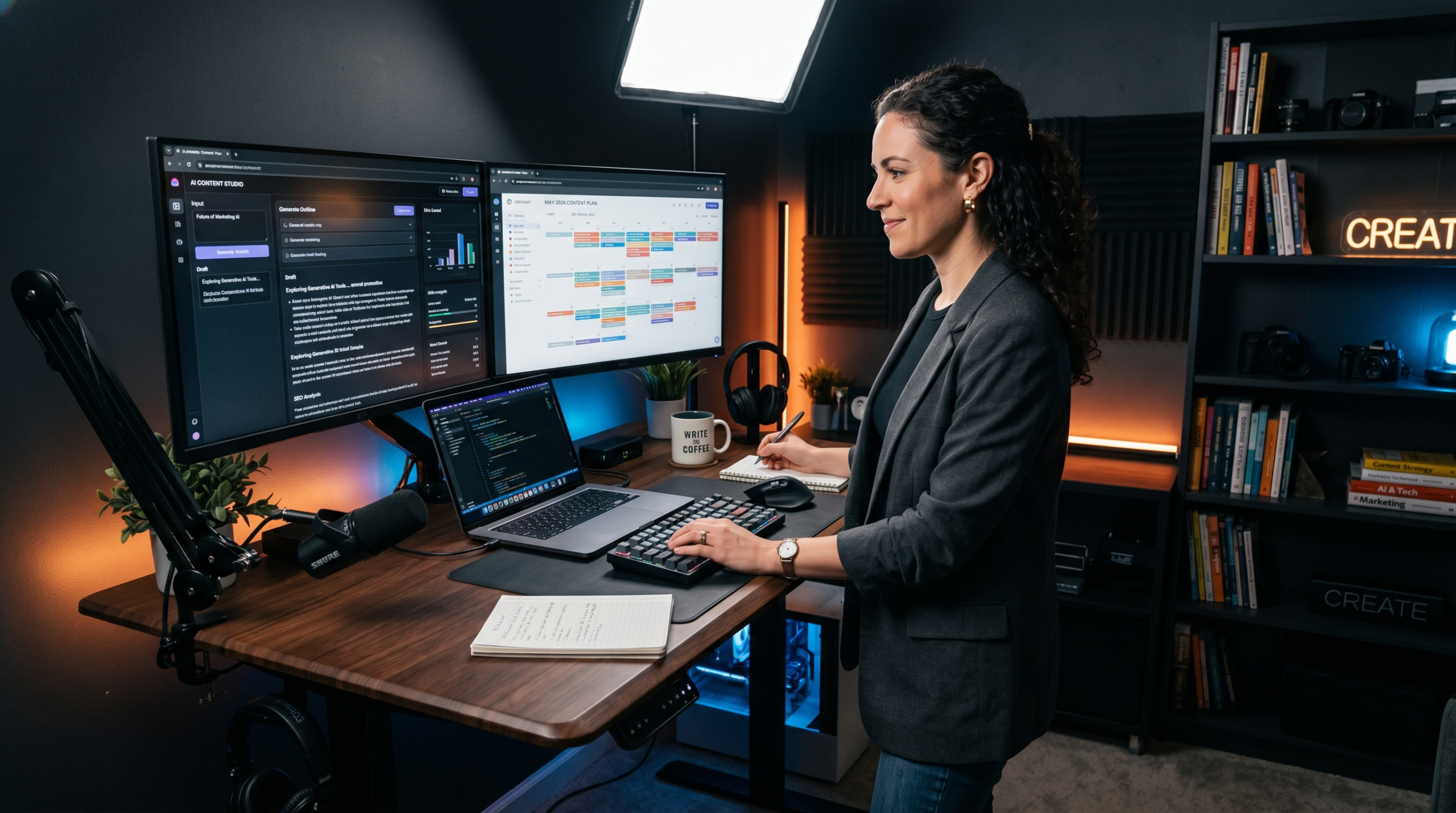
The Top AI tools content creators are using every day in 2026 are ChatGPT‚ Claude‚ Canva AI‚ Descript‚ Surfer SEO‚ and others․ Find hands-on recommendations with honest reporting‚ real-world examples‚ and proven productivity improvements for content creators to save time‚ simplify their work‚ and deliver higher-quality content
Top AI Tools Content Creators Are Using Daily in 2026
Introduction
The week I nearly quit content creation altogether still stands out in my mind. In addition to finishing the script for my latest YouTube video, and designing three new Pinterest graphics, I had four articles to write and I had a newsletter due by the end of that week (Friday). when I sat down at my desk that Tuesday and opened an empty new document.
It was then that I decided to take artificial intelligence more seriously in the context of my work; my use of it would shift from viewing it as something novel to something that had become an integral part of how I work.
It’s not just quickness changed, but it also removed the emotional burden from me. It had been hard to balance the speed, creativity and the tools required to generate content satisfactorily until I determined the right combination of these different tools and understood the correct times to use each of the tools properly when producing content. Therefore, after getting them, I felt that content creation was once again bearable.
The main purpose of this book is to assist other content creators that are either overworked or producing slowly due to exhaustion of their creative juice to overcome this.
Here’s the AI content creator tool guide, which lists our best picks right now, what they’re great for and not so great at, and how you can use them all at once to make your content continue to look human. While no one tool listed is a miracle solution to content creation, when used together these tools can really improve your workflow.
Why the Content Creators in 2026 will be moving to AI tools
This change is a big one. The way of using artificial intelligence among knowledge workers was much accelerated between 2023 and 2025 based on data from McKinsey. One of the highest impact area of this acceleration was content production. That really shouldn’t be a surprise when you look at the average content creator are responsible for a lot of different things, including writing, editing, graphic design, SEO, scheduling, and audience engagement and many do it all by themselves or maybe with one or two other person(s).
The best tools for content creation and AI are actually not replacing creativity, They’re simply taking on the more repetitious and time-consuming aspects of your day and leaving you with more time to focus on strategy and developing new ideas. It’s like having a research assistant, a first-draft writer, a video editor, and a graphic designer all working beside you at the same time except they can work 24/7 and they never need a coffee break!
Overall, the quality of these tools differs a lot, and many of them don’t deliver on their promised features. I’ve used a lot of these to tell which ones really deserve to be in your daily workflow and which ones really just make it harder for you to get things done because they don’t save you any time.

The most effective AI tools available to content creators are:
The two main AI tools that I see for helping you write or brainstorm are ChatGPT and Claude
The two AI-based writing tools are the most common ones available to content creators for very good reason. The OpenAI-developed ChatGPT and the Anthropic-developed Claude can both create and generate article drafts, concept ideas, rewrite and summarise research, as well as create an outline.
The key difference between these two solutions and the previous generation of AI tools is the reasoning quality they offer. You can give their AI-based tools something like a “general direction” for your writing and a “preferred style or voice” and what’s produced will sound like a human wrote it and not a robot mashing up keywords. I was originally skeptical whether it was going to work well for some of the more opinion-centric pieces that I write, but both tools can handle very nuanced writing, so long as you provide them with the appropriate context and clear instructions on how you want the final output to be delivered.
The biggest blunder I see here is that people treat these things like vending machines. Hit a button and you get some text, then hit publish. It will almost never be something you would read. Using the software as a partner is the best way to use it. You have the ideas, knowledge, and ability to edit. The software has the speed, structure, and first draft.
A realistic expectation for you would be to spend around 20 to 30 minutes per AI-assisted draft on both editing and personalising it. That is a significantly lower amount of time than if you were to write the entire thing entirely by yourself, while, at the same time, the AI-assisted draft is normally much more fully-structured and complete.
Jasper for Long Form Content and Brand Voice
Jasper was designed for marketing and creative teams to constantly generate a significant number of branded content pieces. The biggest feature that Jasper has to offer to branding is a tool that can be trained on your own branded content. When trained, the AI will use that specific brand voice when producing content.
This is actually a handy tool for bloggers who write in more than one niche, and content agencies who create content for multiple client voices. You don’t have to change every output to make it sound like your brand. You just set it up once, and the tool will change to fit your brand.
Jasper’s main restriction is that it performs its best when there is already a solid content strategy outlined. Unless you’re trying to find your brand voice, the tool will not actually help you identify your tone of voice. It will only enhance what’s already available. (I’d have to say it did take a long time to get to this point. I had to write around 20 articles and publish them before I felt I really did have enough of an understanding of how I wanted to present myself to use Jasper correctly.)
Written content generally requires the use of visuals for added impact and with these two tools, you’ll be able to create your own graphics even if you never have created anything in your life before. Canva has recently incorporated AI in its product line up and that includes an AI powered design tool called Magic Design where you can create branded graphic templates simply by providing a text prompt along with Magic Media which allows you to generate an image from a text description.
Adobe has released Firefly as its artificial intelligence image-generation tool integrated with Adobe’s Creative Cloud. If you already use either Adobe Photoshop or Adobe Illustrator, then you’ll be able to take advantage of Adobe Firefly’s tight integration between these programs. Through a simple text prompt, you can create a background, extend an entire image, or remove objects from your image all within one application.
The typical error is utilizing visual AI technology without modification. As a result, they tend to come out with a generic appearance and / or are over-polished and dont match up with a personal brand. To prevent this situation from occurring, simply take one of the images that you generate and change its color schemes, set your fonts as the ones that are associated with your brand, etc., so that it becomes an image representative of your brand as a result of making the above mentioned modifications. This particular step takes less than 5 minutes of your time to complete and produces amazing results.
When I adopted this particular practice, I was able to reduce my regularly-scheduled, weekly design time by approximately three hours compared to doing my designs from the ground up.
Descript has changed the way in which most independent video producers and podcasts edit their sound and video. Rather than editing in the traditional timeline manner, users work from a transcript of their sound and/or video to perform their edits. If you remove a word from the transcript, then that word will also be removed from the video.
This is an extremely alternative way to make editing accessible to users with no experience using traditional video editing software.
It also contains an AI voice cloning capability allowing users to either correct incorrectly pronounced words or to add in missing material using a synthesized mimic of a user’s voice. The technology works surprisingly well and saves an incredible amount of time from having to re-record parts of your project.
The biggest downside to Descript is that it works primarily with talking-head videos and podcasts. So, if you create videos that are heavily produced and feature a lot of graphics, motion effects and/or cinematic footage, you’re still going to need something more powerful like Premiere Pro or DaVinci Resolve.
SEO Optimisation can be done with the help of Surfer SEO and Clearscope.
One of the worst things for content creators is being able to craft great content that no one will read. Two examples of these tools include Surfer SEO and Clearscope. Both of these tools examine the top-ranking pages for your chosen keyword(s) and provide a real-time score as you write that indicates which words to use, the ideal length for your content, and if your content is covering the topic.
Both tools are based on the basic idea that Google rewards content that is completely covering the topic instead of content that is just repeating a keyword. They allow you to visualize how much a topic is covered in an article. The level of coverage of a topic determines if one will rank at the third page or the first page.
The biggest mistake people make is that they optimize their work before they write it. If you start using Surfer before you have figured out what your article is going to say, then you will find yourself writing for Surfer instead of writing for the person who will be reading what you write. So make sure you write your draft first, and then you can use Surfer to show you what you may have missed.
A Real Life Example: How a Solo Blogger Changed her whole entire Process of Working
Maria runs a finance blog for people as individuals, and her readership is about 30,000 people each month. She was creating two blogs per week and did all of the writing, graphic design, and SEO herself. She spent anywhere from 25 to 30 hours per week on this process.
She reduced her output time to 14 hours per week by utilizing a new workflow using Claude to produce first draft material, Canva AI to produce graphical material, and Surfer SEO to produce optimised material. The quality of work has not decreased. The time she reduced has to do with the time she spent to create the initial draft material, pre-research material and visual material all materials that were slowing her down and had little or no creativity to them.
The number of readers remained consistent, yet she improved the quality ratings of the content she produced, with a time surplus that allowed her to create her newsletter. The AI-related tools did not produce or supplant her. Rather, they freed up time for her to do more of the creative work that she already excelled at.
Benefits of Using AI Tools in Your Content Workflow.
When you use AI found in the correct way, it has the function of either fixing or solving various issues which content creators have to face most of the time. Of course, speed is the most obvious benefit of using an AI tool utilizable to its capability by a well-developed and trained one. The well-developed and trained AI tools have the capability to produce a useful, usable draft within three minutes a process which previously took several hours to accomplish.
The less obvious benefit of AI is consistency. so if you are actively creating material like say a blog, social media and newsletter consistently it can actually difficult to maintain your content at a consistently high standard.
AI tools enable you to begin in a structured way each time; therefore, your quality of output will decrease due to fatigue or being rushed.
Research is the other area where such tools are of genuine benefit to you. You would normally take an hour to go through your source material before you actually commence the writing process; however… you could use AI and have a research assistant to be able to provide you with a summary of a topic, an outline of major points for consideration, plus a structure to write your paper from. The information that will be provided by AI is to be verified and you have to infuse it with your own voice, but the preliminary phase has been finished.

The Disadvantages and Truthful Limitations of Artificial Intelligence
It would not be an honest review of AI tools without discussing all the mistakes they make. The factual accuracy continues to be a real concern and an ongoing issue. can create content that is believable, yet completely incorrect. If you publish something created by an AI and you do not check the facts, you can basically lose your integrity with the readers. Once that happens, rebuilding trust is always going to be tough.
The second limitation is originality. AI tools work by training on existing pieces of content. They’re going to create something similar to what’s been written in the past. If you want to create something is truly unique and out of the box, if you want to include a personal anecdote, the AI can’t do that for you. Once you have come up with the idea, the AI will will assist in structuring the idea and expressing it, but it will be based on the idea that you shared.
This one also doesn’t get talked about nearly as much as it should. Some content creators will begin using AI believing it will do everything for them, so they get caught up in this cycle where they are generating mediocre content with AI then having to edit the content so it becomes what they want to say. The AI tool itself isn’t the problem; it’s simply not a good fit for what the creator was expecting would be the most appropriate way to utilize an AI tool in their content process.
Examples of Issues with Creators Using an AI Tool
The most significant problem with the majority of AI produced content published today is that it has not been edited prior to publication. While even the best produced AI content will appear structurally complete, it will be very flat in regard to tone. This is mainly because it will not contain the little touches that help add style and personality to the information being presented; in addition, there will not likely be any opinions expressed. This ultimately results in content that will not likely ever be read more than once.
And finally, the hardest part is to avoid using many tools at the same time. Most of you will be tempted to sign up for each new AI tool that gets released, and the end result will be fragmented workflows and numerous subscriptions. Most creators achieve better results in developing their content if they are able to use two to three tools well versus trying to use eight different tools with only a very basic understanding of how they function.
At Last, many creators bypass learning (the learning curve) to figure out how to create prompts for these tools effectively. Output quality equals Prompt quality. Vague prompts produce vague outputs. However, a more specific detailed prompt will produce content that is more usable, when it contains related context about audience and tone, and goals etc.
Professional Expertise to effectively use your AI Tools
Create a prompt library. prompt that will always give you good results is a format that you can build on as you create all of your prompts.
Using AI to help with the part of writing that you find difficult to complete is something that you will find helpful in the process. For example, if you are a skilled writer but you have trouble completing SEO tasks, you can use the AI to assist you in doing the research and the optimization of your keywords. Where on the other hand, if you’re an expert in SEO but have trouble writing your firstdraft, then use the AI to help with that part. Fit the tool to your actual bottlenecks.
Include your individual experience in comibination to the AI-generated content. The addition of a paragraph derived from your own experience through observation, experimentation, or learning can significantly blur the difference between AI-generated content and human-generated content. As well, this is the part where the reader will grow attached to it.
Get all your AI work done in one go. Don’t keep issuing one command after another to your AI when you write. Create five or six of your first drafts (or outlines) in a single batch. Then, do all your editing and personalizing in a batch. This will go much faster and your results will be more consistent.
Individuals It Benefits and Individuals It Does Not Benefit
AI tools are perfect for bloggers who produce lots of content; for social media managers who create daily posts on different social media platforms; and content marketers who do lots of things, but want to keep producing regular amounts of content without growing their team size. They’re also great for someone who is new and wants to create more content while they are learning how to write better.
They operate less effectively for those whose brand is entirely built on intensely personal, highly specific real life experiences that a general AI can’t reproduce. If your readers follow you as a consequence of your personal, “raw” voice”, your personalized knowledge, or very distinct expertise, then AI will aid you during your creative process, but will not do all the work for you. They’re also a bad fit for creators who are pressed for time and cannot devote a significant portion of their time to editing and reviewing AI-generated output because publishing unedited AI-generation content can pose significant risks to a creator’s reputation.
Additional Section: New AI Tools to Keep an Eye On
AI Voice & Audio Content: ElevenLabs
The AI voice synthesis solution from ElevenLabs is amongst the most sophisticated on the market today. Podcast creators, YouTube voiceovers and article audio summaries is just some of the content that is being produced and used today to produce natural sounding narration, all without having access to a recording studio.
Over the last year we’ve seen major improvements to the quality of voice and the addition of multiple options for language as well as emotional tone of voice. For creators who produce educational content in more than one language, this tool gives them access to a whole audience they would not have been able to reach before due to the cost of translating content.
Transcription & Meeting Notes with Otter.ai
Otter.ai converts spoken audio to searchable and editable text in real time. As a content creator who conducts interviews; records brainstorming sessions or attends industry events etc. this simply means that you’ll never lose a good idea just because you didn’t have the time to write it down.
It works seamlessly with Zoom and Google Meet, so once you’ve recorded your calls, you have access to a searchable archive of all your conversations where you can go back and look at what people said months later to grab quotes or ideas from. For those who build content strategies around thought leadership and interviews, this is one of those quiet yet high impact tools to add to your arsenal.
Key Takeaways
The top content creation AI solutions complement creators rather than replace them. They perform many time-consuming, boring duties related to content production, so creators can devote resources to strategy, ideas, and creative discernment which basically cannot be recreated by AI.
When it comes to writing assistant programs, ChatGPT and Claude are basically the best ones available. Canva AI, and Adobe Firefly create amazing images and visuals. Like for video editing and podcast editing purposes, Descript has made things easy. Surfer SEO and Clearscope have made content optimization much better and we now have Eleven Labs and Otter.aI, who although quietly, they building a strong case to be a part of the modern content creation workflow.

Final Decision:
The most important factor when choosing which software applications you’d like to use will be determined by how effectively you’re able to learn to use all of these software applications, how much time you spend editing the results they provide, and how honestly you utilize all of your experience and judgment when utilizing what is generated by these tools.
The AI tool-using creator who maximizes their output is not the one who employs the most automation, but rather, they are those who are able to automate the right things while remaining highly active in all elements that involve true human judgement, including sense-making, storytelling, making editorial decisions, and creating an emotional bond with the audience. When used in this way the best content creation AI tools will not decrease the “you” element of your content; instead, they will provide you with additional time + energy to increase
Conclusion
In 2026, AI is now an essential tool for “professional” content creators. While creating content will still be work, artificial intelligence helps with the difficult parts. The research, the initial drafts, the visuals and the optimizations, all of these things slow most content creators down, and it’s in this part of the process where technology provides the greatest value.
The outcome is not instantaneous. You will have to edit and verify and personalize everything you publish with your own experience and viewpoint. If you do not approach the process with realistic expectations and an eagerness to learn how to use them effectively, you will not see a true return of time & creativity lost to other activities.
If I was going to begin everything from my new start over today’s date I probably would not do anything with writing contents for the first couple of weeks, I would spend I would be spending all of my time learning how to create effective prompts for my AI tools because the skills would produce benefits every day once I started using them.
Frequently Asked Questions (FAQ)
What are some of the best AI content creation tools to assist content creators with a tight budget?
If you want to find out about a specific brand name, you should know that ChatGPT (OpenAI) may be used as a free basic writing and thinking tool. The free version of Claude is also available to buyers with a limited number of uses. The free trial of Canva provides some AIs for free, too. These three AIs will all produce a lot more material for new users at no monthly cost to them.
Can AI content creation tools completely replace the human content writer? Please provide a brief statement to support your position, as this will be used to develop a research question for a future project.
No, AI works can’t work well where quality is important. AI systems basically create papers that are structurally appropriate and factually credible, but they lack the three essential elements that make a paper worth reading which are: personal experiences, unique viewpoints, and creativity. AI produces a good draft by being a helper, not a replacement.
How To Human AI Generated Content?
The solid method is to put a personal touch to your content or material. It could either be through an incident that you have witnessed or it could be a case of an experiment that you conducted but failed, or it could be some detailed information that only you would know about. You should also change the tone of writing to your own conversational style and remove any generic-sounding or formal-sounding language.
Are AI tools useful for generating SEO content?
Absolutely, combining the two can be particularly effective. Dedicated SEO tools (Surfer SEO, Clearscope, etc.) assist in ensuring that your content is covering the topics and keywords that will get it ranked highly. AI writing tools help with the structure and readability of content.
How much time does an individual need to learn to use an ai tool efficiently?
The majority of creators see a major improvement in performance in two to four weeks with daily consistent use. The learning curve for this tool is definitely prompt creation — knowing what to provide the tool with (i.e. enough context) to make it give you more useful outputs. There are some great free resources and communities which are specifically about prompt engineering in content creation
Do AI Tools actually create video content?
Yes, these tools (Descript (editing), ElevenLabs (voiceover), and Canva AI (thumbnail creation)) are made specifically for video creators. This combination of three tools, together, will reduce the amount of time it takes to produce a standard YouTube video by a significant amount.
Is AI-generated content prohibited by Google?
Google’s public stance is that it will reward content that is high-quality and provides value to readers, no matter how created. The type of content that Google is targeting with its Helpful Content guidelines is content that has been 100% generated by an AI with zero human editing, zero original thought, and zero usefulness to the reader. The helpful content guidelines do not penalise AI-assisted content that has been edited and is accurate to facts and causes usefulness to the readers.
Disclaimer: Gacalo.com has content that is intended for informational and educational purposes only, and does not serve as a financial, investment or legal advice. The results mentioned in our material are purely illustrative of the general outcomes for investment decisions, and do not guarantee future results. You should consult with a licence financial advisor (or other qualified professional) prior to making any financial decision. Gacalo.com is not liable for any financial outcomes resulting from the use of the information on this website.


[…] If I were to do it all over from scratch, the first two weeks would be spent developing a single good master prompt before spending a single cent on any AI technology. […]
[…] Step 2: Organization & Extraction of Data […]