

How I used ChatGPT to save money — a real step-by-step breakdown of AI budgeting tactics that helped me cut $4,000 in just six months.
How I Used ChatGPT to Save $4,000 in 6 Months — Step by Step
I Was Losing Money Without Even Realizing It I Don’t Know ChatGPT To Save Money
Fourteen months ago, I sat down with my bank statements and felt genuinely sick.
I was earning a decent income. Not rich-by-any-means income, but enough. Yet every month, I ended up with almost nothing left over. No real savings. A slow-growing credit card balance. And zero clarity on where the money was actually going.
I tried budgeting apps. I watched YouTube videos about the 50/30/20 rule. I even bought a budgeting journal — which I used exactly twice before it became a coaster.
Nothing stuck. Not because I lacked discipline, but because I lacked a system.
Then I decided to use ChatGPT to save money — not as a gimmick, but as a genuine financial co-pilot. What happened over the next six months genuinely surprised me.
I saved $4,000. Real money. Money that is now sitting in a high-yield savings account earning interest.
This article breaks down exactly how I did it, step by step, with the actual prompts I used and the changes I made. No fluff, no theory — just what worked.
Why Most Budgeting Methods Fail (And What’s Different About AI)
Let’s be honest about why traditional budgeting falls apart for most people.

Spreadsheets are powerful but tedious. Budgeting apps track spending but don’t tell you what to do with that information. Financial advisors are expensive and often inaccessible for everyday earners.
The gap is always the same: data without direction.
ChatGPT fills that gap. It doesn’t just organize your numbers — it reasons about them, spots patterns, suggests actions, and gives you a personalized response instead of generic advice. Think of it less as a calculator and more as a very knowledgeable friend who happens to have read every personal finance book ever written.
When I started using it seriously, I wasn’t asking it broad questions like “how do I save money?” I was feeding it my actual numbers and asking it specific, targeted questions. That’s where everything changed.
Step 1: The Financial Audit Prompt (Month 1)
The first thing I did was give ChatGPT a complete picture of my financial situation.
I gathered three months of bank statements, listed all my income sources, and noted every recurring subscription and bill. Then I used this prompt:
“I’m going to share my monthly income and expenses. Analyze them, identify categories where I’m overspending relative to healthy benchmarks, and suggest specific cuts I can make without dramatically changing my lifestyle. Here is the data: [I listed everything].”
The response was detailed, organized, and — importantly — honest.
It pointed out that I was spending $340/month on subscriptions alone, nearly $200 of which were services I hadn’t used in over two months. It flagged that my grocery bill was 40% higher than the average for my household size. It also noticed I was paying for two overlapping cloud storage plans.
Month 1 savings unlocked: approximately $280 just from cutting unused subscriptions and consolidating services.
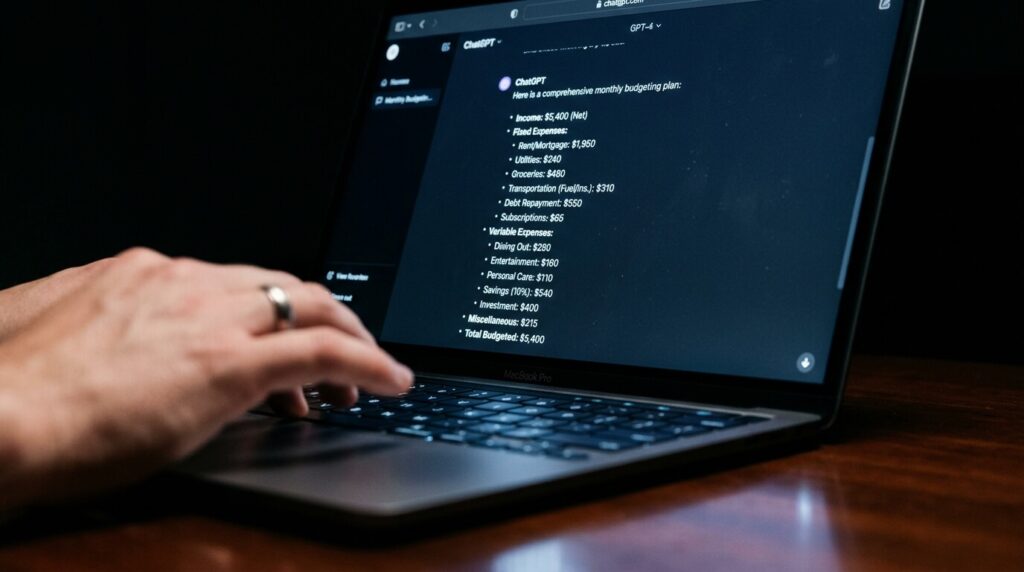
Image Suggestion 1: Screenshot or mockup of a ChatGPT conversation window showing a budgeting prompt and response. Place directly after this section.
ALT text: Using ChatGPT to save money — AI financial audit conversation example
Step 2: Building a Zero-Based Budget with AI (Month 2)
Once I knew where the leaks were, I needed a structure that would hold them closed.
I asked ChatGPT to build me a zero-based budget — a method where every single dollar of income is assigned a purpose before the month begins. Here’s the prompt I used:
“Based on a monthly take-home income of $[X], build me a zero-based budget that prioritizes debt repayment and building a 3-month emergency fund within 12 months. Include categories for food, housing, transport, entertainment, and savings. Make it realistic, not punishing.”

It produced a full monthly budget broken into weekly spending targets. It also flagged which categories had the most flex room and which ones I should protect at all costs.
The genius of using ChatGPT for this — rather than a fixed template — is that you can negotiate with it. I told it my grocery number felt too low for my area. It adjusted and found savings elsewhere to compensate. No rigid app does that.
Month 2 result: I had my first month of actually sticking to a budget. I came in $340 under my projected spending.
Step 3: The Grocery Optimization System (Month 2–3)
Groceries were my single biggest controllable expense, and this is where ChatGPT genuinely impressed me.
Each Sunday, I would paste my planned meals for the week and ask:
“Here are the meals I plan to cook this week: [list]. Generate a minimal shopping list that reduces overlap, suggests store-brand swaps where quality is equivalent, and flags any items I can buy in bulk for better long-term value.”
The shopping lists it generated were tighter and smarter than anything I’d written myself. It suggested swapping name-brand pasta for store-brand identical ingredients, buying oats in bulk instead of individual packets, and batching proteins across multiple meals to reduce waste.
Over two months, my weekly grocery bill dropped from an average of $210 to around $145. That’s a saving of roughly $65/week.
Month 2–3 grocery savings total: approximately $520
Step 4: Negotiating Bills and Subscriptions (Month 3)
This step felt uncomfortable at first, but the results made it immediately worthwhile.
I asked ChatGPT to write negotiation scripts for my internet provider, car insurance company, and gym membership. The prompt:
“Write me a polite but firm negotiation script for calling my internet provider to request a lower rate. I’ve been a customer for 4 years, I pay $89/month, and competitor X offers the same speeds for $65. The goal is to get my rate reduced or get a loyalty discount applied.”
The script it produced was excellent — specific, calm, and persuasive without being aggressive. I used it with minor tweaks on the phone and got my internet bill dropped to $67/month on the spot.
I did the same for car insurance, switched providers using a comparison it helped me analyze, and renegotiated my gym membership to a lower tier I actually used.

Month 3 bill negotiation savings: $74/month recurring — that’s $888 over the following 12 months from three phone calls.
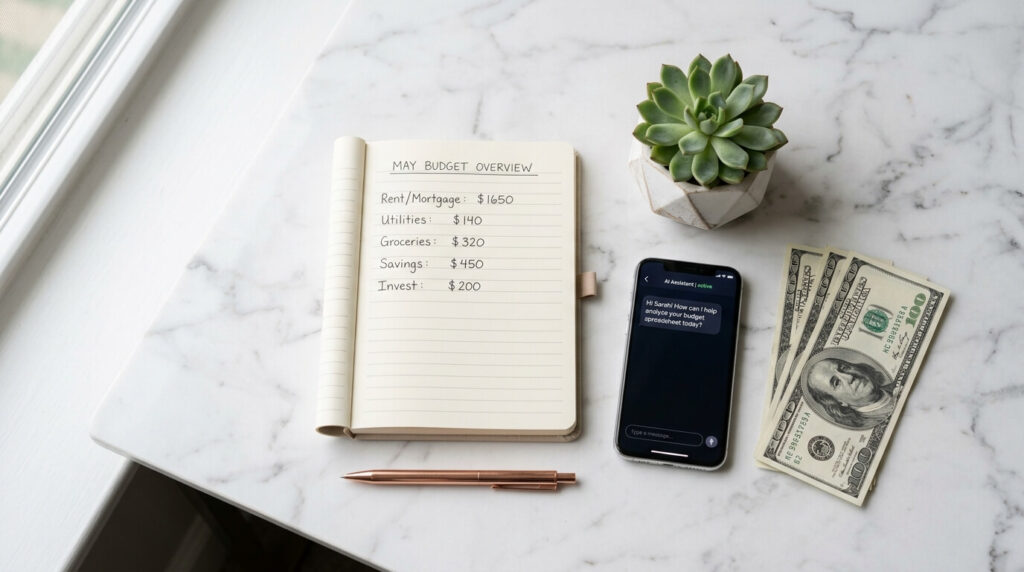
Image Suggestion 2: Flat lay photo of a smartphone, notebook, and calculator with a clean, minimal financial planning aesthetic. Place after the bill negotiation section.
ALT text: ChatGPT money saving strategy — planning bills and subscriptions with AI assistance
Step 5: Automating Savings Decisions (Month 4)
By month four, I had freed up real cash. The next challenge was making sure it actually got saved and not quietly spent.
I used ChatGPT to help me design an automatic savings architecture:
“Help me design a simple automated savings system. I have $400 of monthly surplus after all expenses. I want to build a 3-month emergency fund first, then begin investing. Suggest how to split the $400, which account types to use, and how to automate the transfers so I never have to think about it.”
It walked me through setting up automatic transfers to a high-yield savings account on payday, before any spending could occur. It also explained the difference between HYSA rates, why I should keep my emergency fund separate from my investment account, and how to prioritize once the emergency fund hit its target.
This set it and forget it structure meant the savings happened whether I remembered to think about money that month or not.
Month 4–6 automated savings total: $1,200
Step 6: Finding Hidden Income Opportunities (Month 5–6)
Saving money is one half of the equation. The other half is finding ways to bring more in.
I asked ChatGPT to analyze my skills and available time and suggest realistic side income options:
“Here are my skills: [I listed writing, basic graphic design, and Excel proficiency]. I have about 6–8 hours per week outside my job. Suggest 3–5 realistic side income options ranked by startup cost, earning potential, and how quickly I could realistically see income.”
It suggested freelance copywriting on platforms like Upwork, creating and selling Canva templates, and offering Excel automation help to small businesses.
I started with freelance writing — something I already had some experience in — and earned an additional $1,100 over two months by finding two small business clients through my network. ChatGPT helped me write my service pitch, set my rates, and even draft my first client proposal.
Month 5–6 supplemental income: $1,100
Real-World Results: Where Did $4,000 Come From?
Here’s the honest breakdown of where every dollar came from:
Subscription and service cuts (Month 1): $280
Sticking to the zero-based budget (Month 2–6): $620
Grocery optimization (Month 2–3): $520
Bill negotiation savings (Month 3–6): $370
Automated surplus savings (Month 4–6): $1,200
Freelance income earned (Month 5–6): $1,100
Total saved and earned: $4,090
Every single one of these outcomes was driven by a specific ChatGPT conversation. I didn’t use any paid tools. I used the free version of ChatGPT for most of this, and upgraded to Plus only in Month 4.
The Advantages of Using ChatGPT for Personal Finance
It’s available 24/7 with zero judgment. You can ask embarrassing questions about debt or overspending without shame. That psychological safety matters more than most people admit.
It personalizes advice to your actual situation. Unlike a generic article, ChatGPT responds to your income, your expenses, and your goals. The output is specific to you.
It’s free or very low cost. The free tier of ChatGPT is powerful enough to handle most of what’s described in this article. A Plus subscription at $20/month is a fraction of what a financial advisor would cost.
It helps you take action, not just understand concepts. ChatGPT doesn’t just explain budgeting theory — it builds the actual budget for you, writes the negotiation script, creates the grocery list. The distance between knowing and doing shrinks dramatically.
The Honest Disadvantages You Should Know

It doesn’t have access to your real accounts. You have to provide your own data. If your numbers are incomplete or inaccurate, the advice will reflect that.
It can make mistakes. ChatGPT can occasionally suggest outdated rates, make math errors, or give advice that doesn’t match your country’s tax laws. Always verify specific financial and legal claims independently.
It requires initiative. ChatGPT will not remind you to check in or follow up. The system only works if you’re consistent about using it — which requires a habit most people have to consciously build.
It’s not a licensed financial advisor. For complex situations — major investments, tax strategy, estate planning — always consult a qualified professional. ChatGPT is a starting point, not a substitute for professional guidance.
Expert Tips to Get the Most Out of ChatGPT for Saving Money
Be specific with your prompts. “Help me save money” gets generic responses. “I earn $3,200/month, rent is $950, and I want to save $500/month — build me a budget” gets a useful, actionable plan.
Feed it real numbers. The more accurate your input, the more accurate and useful its output. Ballpark figures produce ballpark advice.
Use it as an accountability partner. At the start of each week, paste your previous week’s spending and ask ChatGPT to evaluate whether you stayed on track and what to watch for this week.
Ask for multiple options. If a suggestion doesn’t feel right for your situation, ask: “Give me three alternative ways to achieve the same result.”
Save your best prompts. Once you find a prompt that produces a great result, save it in a notes app. You’ll want to reuse and refine it monthly.
Combine it with a tracking app. Use a free app like Copilot or Monarch Money to track spending automatically, then paste the summary into ChatGPT for analysis. This removes the manual data entry step.
Image Suggestion 3: Clean, modern graphic showing a simple flowchart: Income → ChatGPT Analysis → Budget Plan → Savings Goal. Place before the conclusion section.
ALT text: Step by step guide to use ChatGPT to save money — AI personal finance flowchart
Conclusion: The Tool Isn’t Magic — the System Is
I want to be clear about something.

ChatGPT didn’t save me $4,000. I did. But ChatGPT gave me the system, the scripts, the clarity, and the structure that made it possible for me to actually follow through.
The reason most people fail to save money isn’t lack of desire. It’s lack of a clear, personalized, actionable plan — and the friction of building one from scratch is enough for most people to give up.
ChatGPT eliminates that friction.
If you’re sitting on a financial situation that feels overwhelming, I’d encourage you to start with just one prompt tonight. Tell it your income, tell it your biggest expense, and ask it what it would do first. The answer might genuinely surprise you.
Start with the audit. Build the budget. Make the calls. Automate the rest. Six months from now, you’ll be looking at a number that surprises you too.
EXTERNAL LINKING SUGGESTIONS
INTERNAL LINKING SUGGESTIONS
/chatgpt-vs-claude-for-marketing/

FAQ SECTION
Q1: Can ChatGPT actually help you save money, or is it just hype?
Yes — but only if you use it intentionally. ChatGPT won’t automatically track your accounts or send you alerts. What it does exceptionally well is analyze the financial information you give it, identify patterns, build personalized budgets, and suggest specific actions. Used consistently with real data, it is a genuinely effective financial planning tool.
Q2: Do I need the paid version of ChatGPT to use it for budgeting?
No. The free version of ChatGPT GPT-3.5 and limited GPT-4o access is capable of handling everything in this guide — budget creation, expense analysis, negotiation scripts, and grocery planning. ChatGPT Plus at $20/month gives you faster responses and more advanced reasoning, which helps with complex financial scenarios, but it is not required to get started.
Q3: Is it safe to share my financial information with ChatGPT?
Do not share sensitive identifying information such as bank account numbers, social security numbers, credit card numbers, or login credentials. For budgeting purposes, all ChatGPT needs is general numbers — your income amount, expense categories, and spending totals. Use approximations if you’re concerned. The analysis is just as useful with rounded figures.
Q4: What are the best ChatGPT prompts for saving money?
The most effective prompts are specific and data-driven. Strong examples include:
Analyze my monthly expenses [data] and identify the top 3 areas I can cut without affecting my quality of life.
Build me a zero-based budget for a $[X] monthly income with a goal of saving $[Y] per month.
Write a negotiation script for reducing my [service] bill. I pay $[X] and competitors charge $[Y].
Create a weekly grocery list for these meals [list] that minimizes waste and cost.
Q5: How long does it take to see real savings using ChatGPT?
Most people see meaningful results within the first 30 days — primarily from identifying and cutting unused subscriptions, renegotiating bills, and creating a structured budget they can actually follow. Larger cumulative savings like the $4,000 example in this article build over 3–6 months as habits compound and automated savings accumulate.
Q6: Can ChatGPT give me investment advice?
ChatGPT can explain investment concepts, compare account types, and help you understand options like index funds, ETFs, high-yield savings accounts, and Roth IRAs. However, it is not a licensed financial advisor and cannot give legally compliant personalized investment advice. Use it for education and general direction, then consult a certified financial planner for major investment decisions.
Q7: What other AI tools work well alongside ChatGPT for personal finance?
Several tools complement ChatGPT well:
Copilot Money — automatically tracks and categorizes spending you can paste summaries into ChatGPT for analysis
Monarch Money — comprehensive net worth and cash flow tracking
YNAB You Need a Budget — structured zero-based budgeting app
Google Sheets + ChatGPT — let ChatGPT write formulas and build budget templates you then maintain yourself
Using ChatGPT as the analysis brain and one of the above as your data source is the most efficient combination.
One Response